
You have likely experienced this before: a person says to you, “Could you give me your contact information?” and you suddenly pause.
In those two seconds of awkwardness, your brain starts racing:
Do I type everything out? Should I spell out my number or email? Do I have a business card? And even if I do have one… does it really represent who I am now?
It is not unusual to feel this way when someone asks you for your contact information. These tiny doubts all lead to one major question:
“How can I make business cards that genuinely represent me?”
Since many introductions to people happen online today, even before meeting face-to-face, your business card (printed or digital) serves as a brief glimpse into your professional identity. When your card is up-to-date, modern, and professional, it will enable people to recall, contact, and connect with you easily.
In this article, we’ll take you through the journey of creating a business card that achieves that objective.
Why professionals need better business cards today
The majority of the people you connect with today are not limited to boardrooms or conferences. Today, business connections are made via LinkedIn, virtual meetings, WhatsApp (or other social media), online introductions, or even in co-working spaces.
With multiple points of contact now available, a business card has become a means for other professionals to continually store, use, and refer back to your business or you.
However, this presents a challenge to many individuals:
38% of professionals around the world report that they struggle to effectively manage their professional network.
This is due to busy schedules, forgotten names, lost cards, or having incomplete contact information.
In a world where networking happens everywhere, understanding how you can make business cards that function across digital and physical platforms is essential.
This is often when professionals pause to ask themselves, How can I make business cards that are easier to share, harder to lose, and simple to follow up on—regardless of where the connection began.
Using a well-designed business card can help you to avoid many of these pitfalls by adding to your:
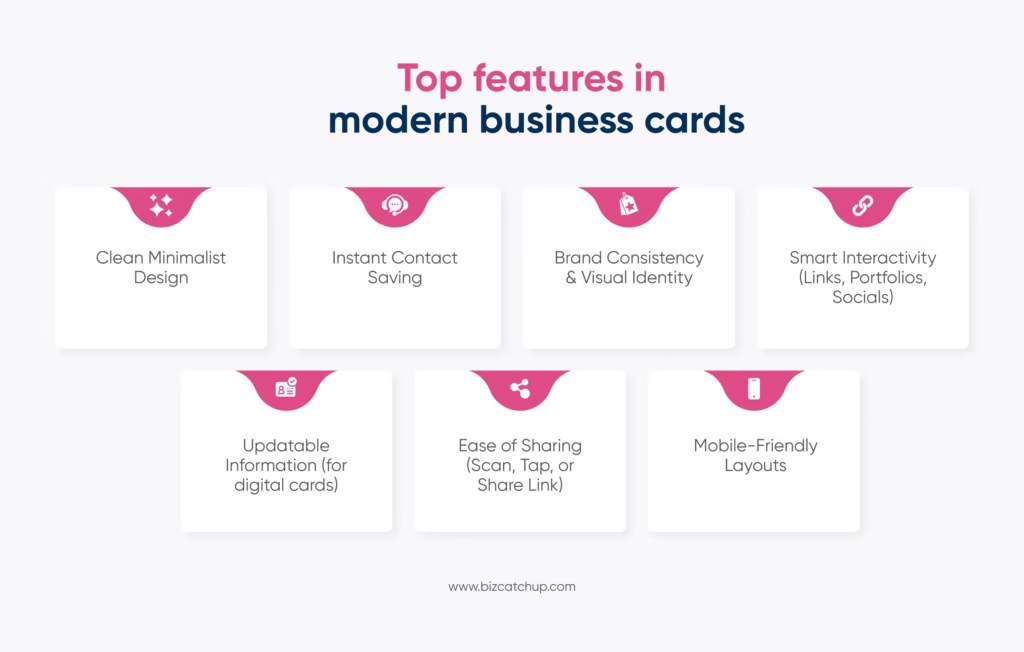
- Professional credibility: Having a polished, professional business card is an indication of a person’s level of competence and commitment.
- Personal branding: The use of colour, title, and overall design influences how other professionals will remember you.
- Follow-up processes: Having clearly defined contact information, easy-to-scan QR codes, or digital business profile links allows for effortless reconnection between business conversations. Plus, apps like BizCatchUp simplify this process by giving you alerts when someone checks your card or when you miss a follow-up.
- Cross-platform presence: An individual may have met you online or in person, but having consistent identifiers allows them to feel that they have met the same person.
In short, smart business cards bridge the gap between moments of introduction and long-term professional relationships. Now we start by answering the question: How can I make business cards?
Where do you start when making business cards?
To develop a business card that feels like you and delivers its intended purpose, you need clarity on three things. These are your goal, your audience, and your format. These help decide what your card will be like.
Know your goal
What’s your business card’s end goal? What do you want someone to do after they receive your card?
You should be clear about these things.
For example:
A freelancer would want to showcase their work. Hence, add a QR linking to their portfolio.
Corporate professional? Make a clean and structured card for easy follow-ups.
Know your audience
The elements of your card should be in line with the people you will network with. Suppose you work in a creative field, a bold and expressive design will make you stand out. A formal and minimal one for traditional industries, whereas a globally acceptable one for international clients.
Decide the format
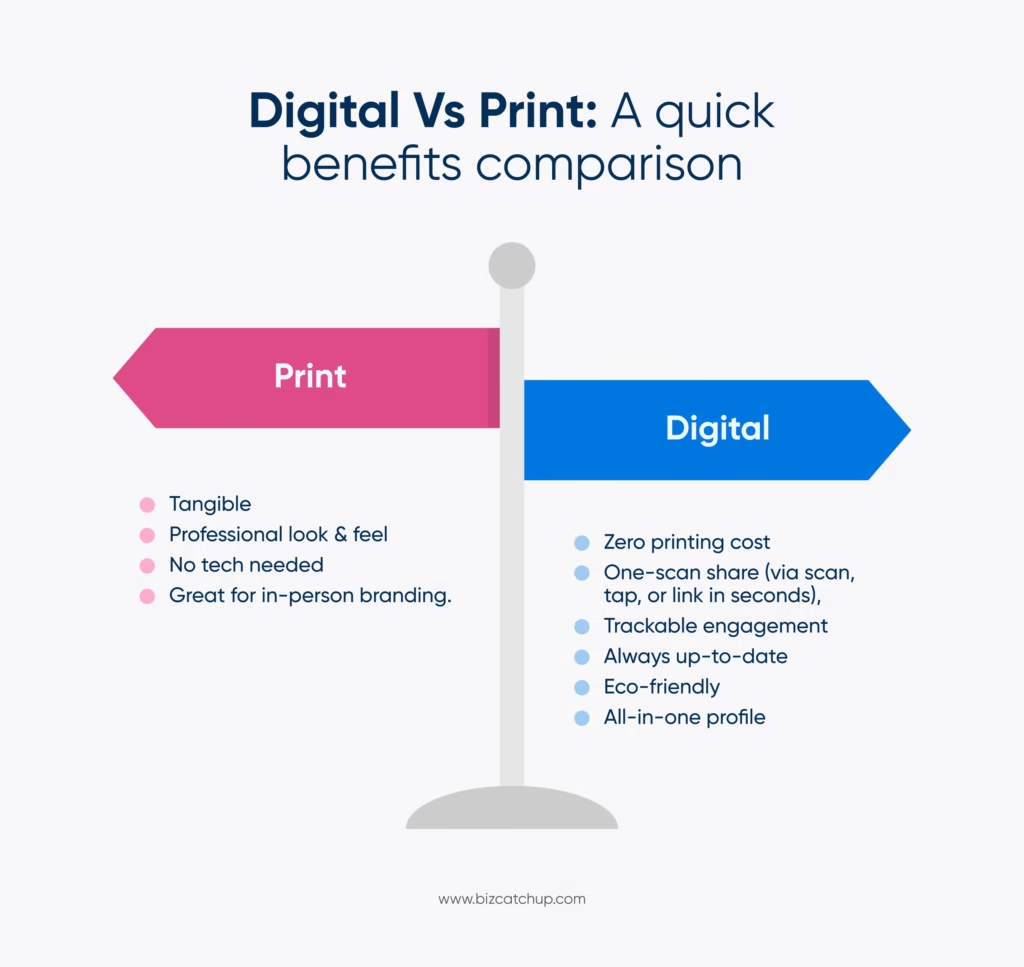
Digital, print, or both? Your business card format should align with your daily routine to be most effective.
A digital card for quick sharing and no physical hassle, for people who are always on the go.
Or do both (digital and physical) to be ready for every situation.
Once you understand these three areas, creating your business card will become much easier and far more intentional.
How can I make business cards that look professional?
After determining your vision for your card, it’s time to create a card that actually looks professional. The following steps will assist you in creating an organized, streamlined design that others can quickly and easily refer to.
Choose an appropriate size and layout
You want to ensure that everything fits well and is not crammed into a small space.
- Digital Card Layout: Portrait or landscape, whichever allows for clean spacing of text and a QR code.
- Standard Print Size: 3.5 x 2 inches (allows card to fit into a wallet).
- Have a clear visual hierarchy to assist with immediate reference:
Name, Title, Contact, QR Code or Link.
This layout makes it easy for others to identify you.
The people asking how can I make business cards that look polished need to know that layout structure matters more than fancy elements.
Add your essential information
Limit the information on your card to what is necessary to contact or get to know you. Don’t overcrowd your card.
- Your full name
- Your job title or position
- Your phone and email (work)
- Your website and portfolio link
- Your location (optional)
Create a simple and professional design that matches your brand
A professional card doesn’t rely on heavy graphics but on clarity.
- Use 1-2 brand colors.
- Use a font that is easy to read (don’t use overly ornate script) and that matches the style of your business.
- Use white space appropriately on the card so that it looks clean and modern.
- Integrate a logo, but make sure that it is proportionately sized.
Tip: If it takes more than two seconds to figure out what is on the card, your card is too cluttered.
Make it digital-ready (even if you print it)
In recent years, printed cards have become much more likely to have some form of QR code or digital element. Ever wondered: “How can I make business cards that are digital-ready?” Here’s how:
- Add a QR code that links directly to your full profile, website, LinkedIn, or other links—this can be easily done using a digital business card app.
- Use short, easy-to-type URLs that will be easy for people to remember and type.
- Make sure that all of the information on your QR code is current; your QR code is only as good as the web page that it leads to.
Tip: The QR coded business card connects your offline and online networking, so it will make it easier for you to follow up with people after they have received your business card.
One major advantage of digital cards is that they are not only easily shareable but also easily editable and updatable.
Understanding Card Usability by Industry
Card utility often depends on the business sector and its target audience. It’s often at this point that people start asking themselves, “How can I make business cards that actually work for my industry?”
Digital cards are more effective in tech-savvy, service-based industries such as IT consulting, startups, marketing agencies, or remote-first businesses where information needs to be shared quickly and updated in real time.
Printed cards, on the other hand, work better in B2C environments, such as local bakeries, children’s toy stores, salons, or retail shops, where customers often prefer something tangible and familiar.
Creating a digital business card on BizCatchUp
This easy-to-follow guide will help you out.
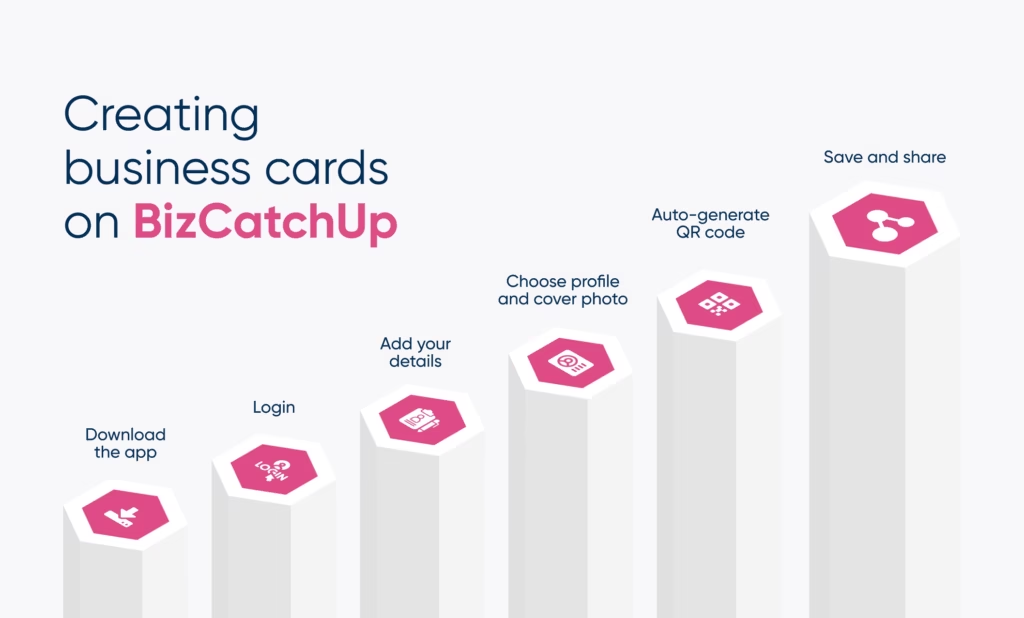
Download the app and log in
Get started by downloading the BizCatchUp app and logging in using either your email or mobile phone number.
Add your professional details
Start by adding a title for your card (say, event card or business card). Then enter your full name, your position within your company, and your work-related contact information. Also, add links to any of the following profiles: LinkedIn, Twitter, Facebook, etc., as per your work requirements.
This step answers a major part of ‘how can I make business cards that look professional’; your details must be complete and up-to-date.
Choose a profile and cover photo
You should choose a professional profile picture that is clear and a cover photo that presents your brand or personality.
Generate your QR code
When you create your digital card, your unique QR code will be automatically generated. You can use it to easily share your digital card with others.
Save and share instantly with one click
Once your digital card is created, you can share it on WhatsApp, email, LinkedIn, and anywhere else you’d like with just one click. You can even add it to your Apple Wallet so it will always be accessible to you when you’re out and about.
Best practices for better personal branding
After answering “how can I make business cards”, let’s focus on the part: “that represents me better”.
- Include a professional photo where possible so that your business cards can be easily identified as yours.
- Ensure that your card’s color scheme and font match those of your brand’s LinkedIn or similar accounts. This creates uniformity within your branded identity.
- Include a brief title or tagline on the card to communicate what you do at a glance.
- Use a QR code that links to a well-organized and professional social media profile.
Conclusion
A business card, whether created digitally or printed out, will help clearly denote your professional identity and will be easily remembered. Having discussed the process at length, you can now go from “how can I make business cards” to networking effectively, no matter the audience type. The next step is applying these principles consistently.
With clear and concise information presented in a well-designed and branded manner, it is much more than just a means of providing contact information; it is a way to leave a memorable first impression. With the right resources and focus, your business card can support your brand while being a true reflection of you.
Quick catch
How can I make business cards that work for both online and offline networking?
To make business cards effective everywhere, combine a clean printed design with a digital version linked via QR code. This allows easy sharing in person while keeping your contact details accessible and updatable online.
How can I make business cards that represent my personal brand professionally?
Start by aligning your card’s design, colors, and tone with your professional identity. Include only essential details, a clear role description, and a digital link so people instantly understand who you are and what you do.
How can I make business cards that are easy to share at events and meetings?
Digital business cards with QR codes or wallet access work best for events. They allow instant sharing without typing details and reduce the risk of lost cards, especially during high-volume networking situations.
How can I make business cards if I want both flexibility and credibility?
Create a digital-first card that can be edited anytime, then adapt it for print when needed. This approach offers credibility in formal settings while keeping your information current across changing roles or projects.
How can I make business cards that help with follow-ups after networking?
Use cards that link to a complete profile with contact options and social links. Digital tools can also notify you when someone views your card, making timely and meaningful follow-ups much easier.
